Copy.ai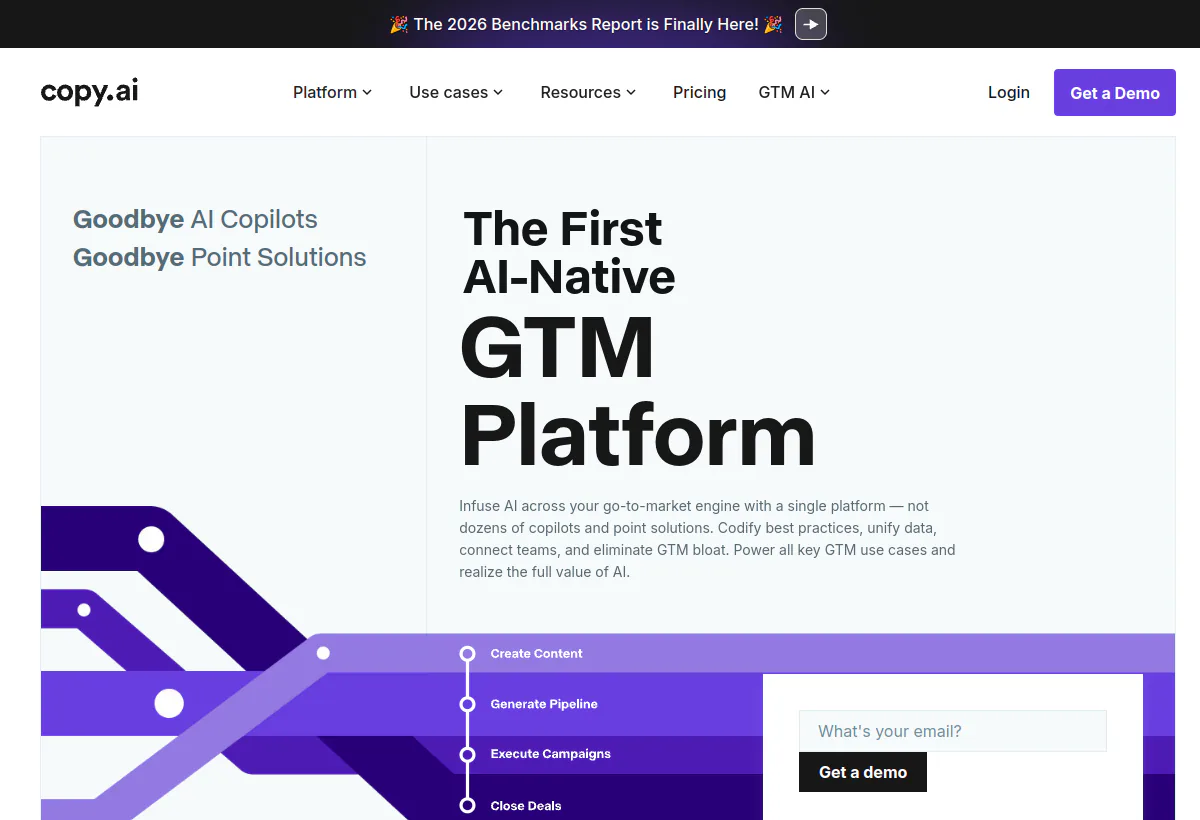
Quick verdict
Is Copy.ai worth it?
Copy.ai is worth it when GTM processes already exist and the team will run them often enough to justify seats plus workflow credits. The Chat plan looks like unlimited writing. It is not the GTM product. Growth starts at $1,000 per month billed $12,000 per year with 75 seats and 20,000 workflow credits per month. Expansion and Scale sit at $2,000 and $3,000 per month billed annually. That ladder only pays off if operators reuse the same workflows and you can name an owner for credit burn.
Do not buy Copy.ai as a support desk, a website chatbot, or a substitute for legal review of claims. Treat outputs as drafts that still need a human who can say no.
Method
How we evaluated this
We evaluated Copy.ai as a GTM AI platform, not as a writing assistant and not as a customer-support agent. Scoring weights five buyer dimensions: whether the job is a repeatable GTM motion, how seats and workflow credits interact, whether brand and compliance review can sit inside the process, which systems the workflows can touch, and how much process design you must finish before the software helps.
On August 19, 2026 we opened the official homepage and the official pricing page at copy.ai/pricing (the same rate card also appears at copy.ai/prices). We recorded plan names, seat counts, billed amounts, and published credit pools. We did not run a paid Growth-tier pilot, so we did not measure credits per workflow on your data. We flagged vendor claims we could not independently verify, including time-saved figures in customer quotes and the exact credit cost of a given workflow step.
- Checked public plan names, prices, seats, and workflow credit pools on the official pricing page on August 19, 2026.
- Mapped Chat versus Growth, Expansion, Scale, and Enterprise feature gates from that page.
- Reviewed homepage use cases (prospecting, content, inbound lead processing, ABM, translation, deal coaching) against the credit meter.
- Compared total cost patterns with Jasper, ChatGPT, Claude, and Notion AI for the same buyer job.
- Flagged claims we could not verify in a multi-week production pilot.
Consult Copy.ai homepage, Copy.ai pricing, Copy.ai prices (alias) for product documentation and plan details. Confirm the terms that apply to your purchase.
Cost model
Unlimited chat is cheap. Workflow credits are the product.
Copy.ai still markets unlimited words in Chat on every public paid plan. That line is easy to read as unlimited GTM automation. It is not. Chat is a prompting surface with five seats on the Chat plan. Workflows, the actual product for GTM ops, consume workflow credits. Growth includes 20,000 credits per month. Expansion includes 45,000. Scale includes 75,000. The official FAQ states that a credit’s value depends on the complexity of the task, such as generating text or running research, and that there is no single published price per credit. You can add credits later instead of jumping a full tier, which is useful only if you already know burn per run.
Run this calculation before you compare Copy.ai with a general assistant. Take one workflow you actually run: account research, inbound lead processing, or a localization pack. Count steps. Count records per week. If each record burns even a handful of credits across research, generation, and a write-back, 200 accounts can chew through a surprising share of a 20,000-credit Growth pool. That is why Chat at $24 per month billed annually is a writing subscription, and Growth at $1,000 per month billed annually is an operations purchase. Mixing those two in the same budget conversation is how teams overbuy seats they never sit in, or underbuy credits they blow in week two.
- Chat is not Growth. $24 per month billed $288 per year (or $29 billed monthly) buys five seats and unlimited chat words. It does not publish a workflow credit pool.
- The first real GTM rung is $12,000 per year. Growth is $1,000 per month billed annually, 75 seats, 20,000 workflow credits per month.
- Credits are not a published rate card. Copy.ai says value depends on task complexity. You must measure burn on your workflows during a pilot.
- Seat counts jump with the credit pool. 5, then 75, then 150, then 200. Do not treat 75 seats as a reason to provision 75 people who never run a workflow.
Best fit
Who Copy.ai fits best
Best for growth, marketing ops, and sales ops teams that already have named motions and can staff a reviewer. Poor fit for a single marketer who needs a paragraph rewritten twice a week.
Strengths
- Workflow-first GTM packaging. Homepage use cases are prospecting, content systems, inbound lead processing, ABM, translation, and deal coaching, not a caption library.
- Shared process, not personal prompts. Workflows, Actions, Agents, Tables, Infobase, and Brand Voice are built so a team can reuse the same motion.
- Model choice in Chat. Public Chat copy lists access to OpenAI, Anthropic, and Gemini models.
- Enterprise path is explicit. Guided implementation, API and bulk workflow runs, 20-plus integrations, designated support, and enterprise security protocols sit on the Enterprise card.
- Credit add-ons without a full tier jump. The pricing FAQ says you can add credits later, which is the right control if burn is lumpy.
Limitations to verify
- Credit and seat costs scale fast. Growth is already $12,000 per year before overage credits.
- Requires process maturity. If the motion is not written down, you will encode a messy process and pay credits to run it.
- Brand and compliance review still sit with you. Infobase and Brand Voice help consistency. They do not approve claims.
- Not a customer support desk. Do not shortlist Copy.ai against YourGPT, Intercom Fin, or Zendesk AI for ticket deflection.
- Exact credit burn is unpublished. You cannot budget from the rate card the way you can with Jasper’s GEO Hub credits.
Surfaces
Surfaces to verify
Copy.ai is a web GTM workspace. It is not an omnichannel support inbox. Do not evaluate WhatsApp, Instagram, or a website chat widget here. Ask which of these surfaces your operators will actually live in, and which steps still happen in CRM, CMS, or email tools.
- Chat. One-off GTM tasks with multiple model families. Confirm whether Chat usage is truly unlimited on your target plan and whether it can call the same Infobase and Brand Voice as workflows.
- Workflows and Actions. Encoded processes. Confirm who can publish a workflow, who can run it, and whether a dry-run mode exists before credits burn on a full list.
- Agents. Targeted tasks with guardrails. Confirm what an agent can write to, not only what it can draft.
- Tables. Queryable data that feeds automation. Confirm how you load CRM or spreadsheet data and how exports come back.
- Infobase and Brand Voice. Source of truth for company facts and tone. Confirm who owns updates when pricing, product, or legal language changes.
- Integrations and API. Homepage claims 2,000-plus integrations. Enterprise copy lists 20-plus tech integrations, API access, and bulk workflow runs. Ask for the connectors you actually use (Salesforce, HubSpot, Gong) rather than the headline count.
Workflow
How Copy.ai should run a GTM motion
A useful Copy.ai rollout starts with a motion you already run by hand. Encode the steps as a workflow: pull the account or lead, research, draft, score, and hand the packet to a human. Run it on a small list. Measure credits, minutes, and edit distance. Then decide whether to scale the same workflow or to stop. Do not start with ten workflows. Start with three that have an owner and a weekly volume.
Handoff is the weak point in most GTM AI purchases. Copy.ai can produce a prospecting packet or a content draft. Someone still has to decide whether the claim is legal, whether the personalization is accurate, and whether the asset belongs in the CRM, the CMS, or the sequence tool. Put that review step in the workflow. If the team skips it, you will automate claims you cannot defend.
- Prospecting cockpit. Research accounts and contacts, then draft outreach. Keep a human on facts about the account before send.
- Inbound lead processing. Enrich and research marketing leads. Confirm the CRM write-back and the SLA for speed-to-lead.
- Content and ABM packs. Turn a brief into channel variants. Keep brand and legal review before publish.
- Translation. Homepage copy claims native-speaker-level translation. Verify on your languages and regulated phrases, not on a demo paragraph.
- Deal coaching. Insights from sales transcripts. Confirm you are allowed to put those transcripts in the tool before you upload them.
Pricing checked August 19, 2026
Copy.ai pricing: $24 Chat versus $1,000-plus workflow tiers
The official pricing page publishes Self-Serve and Enterprise families. Chat is the only public plan that shows a monthly-versus-annual toggle. Growth, Expansion, and Scale display a monthly equivalent billed annually. Enterprise is custom. Prices exclude tax. We did not see a public overage rate per extra workflow credit on August 19, 2026; the FAQ says you can add credits later.
| Plan | Public price | Included capacity / meter | Best fit |
|---|---|---|---|
| Chat | $24/mo billed $288/yr, or $29/mo billed monthly | 5 seats, unlimited words in Chat, unlimited Chat projects, OpenAI / Anthropic / Gemini access. No public workflow credit pool on this card. | Small GTM teams testing Chat only |
| Growth | $1,000/mo billed $12,000/yr | 75 seats, unlimited words in Chat, 20,000 workflow credits per month | Teams starting structured workflow automation |
| Expansion | $2,000/mo billed $24,000/yr | 150 seats, unlimited words in Chat, 45,000 workflow credits per month | Broader automation programs across GTM |
| Scale | $3,000/mo billed $36,000/yr | 200 seats, unlimited words in Chat, 75,000 workflow credits per month | Organizations deploying GTM AI at volume |
| Enterprise | Custom | Guided Jumpstart implementation, API and bulk workflow runs, 20-plus integrations, unlimited customizable workflows, designated account and support, enterprise security protocols | Governed rollouts with procurement and security review |
Source: Copy.ai official pricing page, captured August 19, 2026. The same card is also published at copy.ai/prices. Confirm live seat counts, credit pools, overage rules, and annual-commitment terms before signing.
Budget two lines: the subscription, and extra credits if a launch week exceeds the pool. If you cannot estimate the second line after a two-week pilot, you are not ready to sign annual Growth.
AI
What the models actually do here
Copy.ai is model-agnostic at the Chat layer and process-centric at the workflow layer. Public Chat copy lists OpenAI, Anthropic, and Gemini. Homepage architecture also shows Perplexity in the model row. The buying question is not which model is newest. It is whether the workflow can ground an output in Infobase, Brand Voice, and the table row for that account, then still fail closed when the source is missing.
Output quality will look fine in a demo and fail on your edge cases: unpublished pricing, partner-only claims, regulated product language, and anything that requires a citation the model did not retrieve. Put a factual review step on every workflow that can leave the company. For translation and localization, score a sample in the target language with a native reviewer. For deal coaching, keep humans on close-date calls. The model can draft. It cannot own a number that finance will later defend.
- Chat for one-off tasks across listed model families.
- Workflows that chain research, generation, and structured fields.
- Infobase as the fact layer. Stale Infobase is a silent failure mode.
- Brand Voice for tone. Tone is not the same as legal accuracy.
Features
Feature areas to verify
Use this checklist in a demo on your own accounts and content, not on a vendor sample. Ask the vendor to show each item working, then ask what happens when it fails.
- Chat generation with the model families listed on the Chat plan.
- Workflow builder: publish rights, versioning, and who can change a live process.
- Workflow credit metering: per-run visibility, alerts, and the path to buy extra credits.
- Tables: import, match keys, and export back to CRM or sheets.
- Infobase and Brand Voice ownership, including review of who can edit.
- GTM templates for prospecting, content, inbound, ABM, translation, and deal coaching.
- Integrations you actually use. Do not accept “2,000-plus” as a substitute for Salesforce or HubSpot field mapping.
- API and bulk workflow runs on Enterprise. Confirm rate limits and credit draw.
- Guided implementation timeline on Enterprise. Copy.ai publishes a kickoff, testing, and production-day sketch. Ask for dates that match your security review, not the marketing timeline.
Analytics
Operating visibility that matters
Vanity generation counts will not tell you if Copy.ai is paying for itself. Track credits per workflow, acceptance rate after human edit, and cycle time from brief to published or sent asset. If the platform cannot show credit burn by workflow and by operator, you will discover overages in finance, not in ops.
For inbound and prospecting motions, add a downstream metric that lives outside Copy.ai: meetings booked, speed-to-lead, or time-to-first-draft in the CMS. Copy.ai will not replace your CRM reports. Decide which system is the source of truth for pipeline influence before the pilot starts, or you will argue about attribution instead of about edit quality.
Security
Security, data handling, and compliance
The Copy.ai homepage shows SOC 2, GDPR, and SSO marks in the platform section. Enterprise copy adds “enterprise grade security protocols.” We did not independently audit those controls. Procurement should request the latest SOC 2 report, DPA, subprocessor list, training-data policy, retention terms, and SSO/SAML details in writing. Do not put unpublished financials, unreleased product names, or customer-restricted data into prompts or Infobase until that packet exists.
- Request DPA, subprocessors, and the current SOC 2 report, not a logo on the homepage.
- Confirm whether Infobase content, chat logs, and workflow outputs are used to train shared models.
- Map roles: who can publish workflows, who can run them, who can export tables.
- Confirm SSO on the tier you will actually buy. Chat and Growth may not match Enterprise controls.
- Set a written list of data that must never enter the platform.
Buyer questions
What questions should you ask before buying Copy.ai?
- How many workflow credits did three of our live processes burn on a sample of 50 records each?
- Who approves external claims, and is that step inside the workflow or after export?
- How many people will run workflows weekly, and how many seats are we paying for that they will never use?
- What is the edit rate from AI draft to published asset on last week’s real work?
- Which CRM or marketing fields can a workflow read and write without custom engineering?
- What happens when we exceed the monthly credit pool: hard stop, overage invoice, or forced upgrade?
- Can we export workflows, Infobase, and tables if we leave?
- What does guided implementation include in hours, and what remains our team’s job?
Red flags
What red flags should you watch for with Copy.ai?
- No written inventory of GTM workflows before a Growth or higher quote.
- No named owner for workflow credits and no alert before the pool runs out.
- No compliance or brand review path for customer-facing copy.
- The demo uses generic accounts and never runs your ICP, your product names, or your banned claims list.
- Seat count is justified by headcount rather than by weekly operators.
- Pricing talk stays on “unlimited chat words” and never produces a credit forecast.
Alternatives
What are the best alternatives to Copy.ai?
Pick the alternative by job, not by which homepage looks busier. Copy.ai is a GTM workflow platform. If that is not your job, do not force it. This is a decision framework, not a ranked list, and Copy.ai is not an alternative to itself.
- JasperChoose Jasper when the job is brand-governed marketing content, Canvas collaboration, and marketing agents with a published seat-plus-credit rate card.
- ChatGPTChoose ChatGPT when operators need a general assistant for research and drafts and you do not need encoded GTM workflows or a shared Infobase.
- ClaudeChoose Claude when long-form analysis, careful editing, and document-heavy work matter more than a GTM workflow builder.
- Notion AIChoose Notion AI when writing and light agents should live inside the wiki and project docs the team already uses.
If the job is sales intelligence and sequencing, look at Apollo.io as a different category. If the job is custom automation glue, compare n8n.
Test in practice
What Copy.ai needs to prove in a real workflow
A polished chat demo is not enough. The purchase is justified only if a named motion runs cheaper and faster after human review. Use this five-step test on live work before you pick a tier.
- Inventory five GTM workflows.Write the job in one sentence each. Kill anything that is not weekly and owned.
- Automate three in a pilot.Use real accounts, real product language, and the banned-claims list. Do not use vendor samples.
- Measure credits and edit rate.Record credits per run, minutes saved, and how much of the draft survived legal or brand review.
- Compare cost with Jasper and ChatGPT.Same sample set, same scorer. Include review time, not only software.
- Then select the tier.Stay on Chat if workflows never ran. Buy Growth or above only if credit math and ownership are written down.
Related reading
Related reading
- Jasper review: brand-governed marketing content and agents.
- ChatGPT review: general assistant for ad hoc GTM writing.
- Claude review: long-form analysis and careful drafts.
- Notion AI review: AI inside an existing workspace.
- Marketing AI agents: category context for campaign tools.
- Tools directory
- Scorecard
- How to choose an AI agent platform
Official product demo
See Copy.ai’s prompting basics before you encode workflows
This official Copy.ai film walks through prompting, which is the Chat layer of the product. Treat it as a tour of the writing surface, not proof that a GTM workflow will save you hours. After watching, ask the vendor to run one of your live workflows with credit metering visible.
Claim ledger
Claim and source ledger
What this profile is based on
Official Copy.ai homepage and pricing pages captured August 19, 2026, including published Chat, Growth, Expansion, Scale, and Enterprise packaging, seat counts, billed amounts, and workflow credit pools. Homepage positioning as a GTM AI platform with workflows, Actions, Agents, Tables, Chat, Infobase, and Brand Voice. Public FAQ language that a credit’s value depends on task complexity and that credits can be added later.
What we did not verify
We did not run a paid Growth or Enterprise pilot. We did not measure credits per workflow step on live account lists. We did not audit SOC 2, DPA, or training-data terms beyond homepage marks. We did not verify customer quotes about millions in savings or meeting lift. Exact overage prices for extra workflow credits were not published as a rate card on the pricing page we captured.
How we scored fit
High fit for GTM ops teams with named, weekly workflows and a credit owner. Low fit for individuals who only need occasional writing, and for anyone shopping for a support chatbot. The 3.6 editorial signal reflects a useful workflow product with a steep jump from Chat to Growth and an unpublished per-step credit cost.
Verdict
Should you choose Copy.ai?
Choose Copy.ai when GTM workflows are real, owned, and repeated, and when you have measured credit burn on those workflows. Stay on Chat only if unlimited chat words are the entire job. Move to Growth or above only with a credit forecast and a reviewer. Skip Copy.ai if you wanted a support agent, a cheap caption tool, or a brand system with Jasper-style voice governance. Re-check copy.ai/pricing during legal review, because plan names and credit rules move.
FAQ
Common questions about Copy.ai
Is Copy.ai only for social captions?
No. The official site positions Copy.ai as a GTM AI platform for workflows across prospecting, content, inbound lead processing, ABM, translation, and deal coaching. Caption writing is a small slice of Chat, not the reason to buy Growth.
How do Copy.ai workflow credits work?
Workflows consume credits as they run. Copy.ai’s pricing FAQ says a credit’s value depends on task complexity and does not publish a single dollar price per credit. Measure burn per workflow in a pilot. You can add credits later according to that FAQ.
How much does Copy.ai cost in August 2026?
Chat is $24 per month billed $288 per year, or $29 billed monthly, with 5 seats. Growth is $1,000 per month billed $12,000 per year with 75 seats and 20,000 workflow credits per month. Expansion is $2,000 per month billed $24,000 per year. Scale is $3,000 per month billed $36,000 per year. Enterprise is custom. Confirm live on copy.ai/pricing.
Does Copy.ai have unlimited writing?
Public plans advertise unlimited words in Chat. Workflow automation is metered by workflow credits on Growth and above. Unlimited chat is not unlimited GTM automation.
Who should skip Copy.ai?
Skip it if you only need occasional drafts, if you have no written GTM process, or if you need a customer-support agent. ChatGPT, Claude, or Notion AI will usually be cheaper for ad hoc writing.
Copy.ai vs Jasper: which should we buy?
Buy Jasper when brand voice, Canvas collaboration, and marketing agents are the job. Buy Copy.ai when encoding GTM processes (research, inbound, ABM packs) as shared workflows is the job. Run the same sample set on both before you sign.
How long does setup take?
Chat can be useful the same day. Production workflows need Infobase, Brand Voice, integrations, and a review step. Enterprise copy describes guided implementation with kickoff, testing, and a production day. Ask for a plan that matches your security review, not the marketing sketch.
Is Copy.ai a support chatbot?
No. It is a GTM platform. If you need ticket deflection on web chat or WhatsApp, look at support-family tools instead of forcing Copy.ai into that job.
What should we measure in a pilot?
Credits per workflow run, share of draft that survives human edit, cycle time from brief to published asset, and peak-month cost if volume doubles. Seat count without weekly operators is a vanity metric.
Where should we verify prices?
Use the official pricing page at https://www.copy.ai/pricing. We captured it on August 19, 2026. Re-verify during legal review because packaging changes.
Also review