Cursor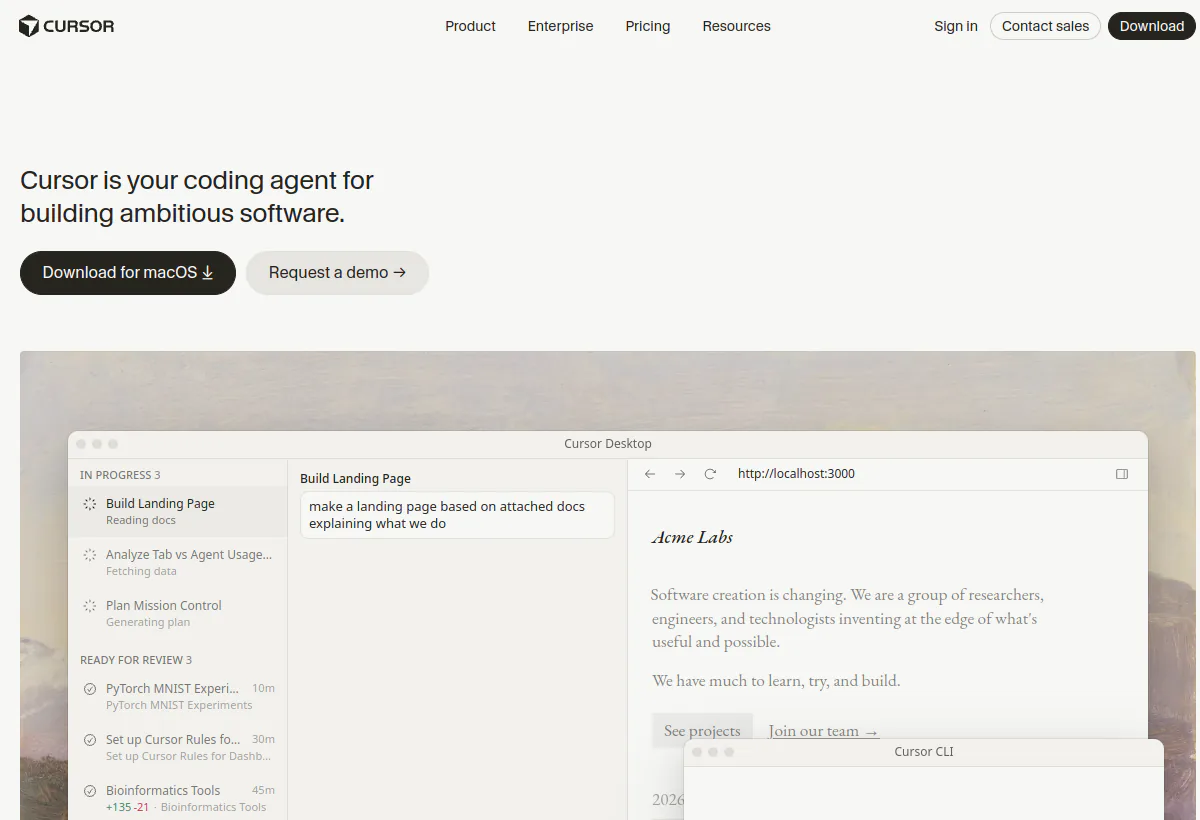
Is Cursor worth it?
Cursor is an AI-first code editor that embeds Tab completions, codebase chat, Agent, Composer, Cloud Agents, a CLI, and team admin into one product. The homepage positions it as an agent that turns ideas into code across the desktop editor, terminal, Slack, and GitHub. That is a different job from autocomplete. It is worth the seat when your team ships across many files and wants a reviewable change back. It is not worth it when the work is a few lines a day or when nobody will read the diff.
The cost shape is a subscription plus two usage pools. Pro includes $20 of third-party model usage and a separate generous pool for Cursor Grok 4.6, Grok 4.5, and Composer 2.5. Daily Tab users often stay inside that $20. Cursor's own docs say daily Agent users typically land at $60 to $100 per month of total usage, and power users with multiple agents often exceed $200. That is why Pro+ at $60 and Ultra at $200 exist. Teams add Standard or Premium seats, and Enterprise adds pooled usage, SCIM, and audit logs on a custom contract. Confirm the live rate card on cursor.com/pricing because Cursor changes credit rules often.
How we evaluated this
We evaluated Cursor as an AI-first editor and agent platform, not as a plugin. Scoring weights five buyer dimensions: codebase awareness (can it trace a change across modules before it edits), agentic depth (plan, edit, test, and report back), control surface (rules, Agent Review, repository and MCP restrictions, auto-run and network controls), surface coverage (desktop, CLI, cloud agents, GitHub, Slack, JetBrains, Xcode, iOS), and cost predictability (two usage pools, on-demand overage, Teams token rate).
On August 19, 2026 we read the homepage, pricing page, Models and Pricing docs, help-center plan table, and the June 2026 Teams post. We did not run a production pilot on your repositories. You still need a multi-file feature with tests, a longer Cloud Agent job, and a spend forecast that splits the two pools.
Pricing calculation to run
Price the two usage pools, not the seat
GitHub Copilot still sells a seat plus AI credits. Cursor sells a seat plus two separate monthly pools. Mixing those models is how teams under-forecast. Cursor docs are explicit: Pro, Pro+, and Ultra include unlimited Tab completions, extended Agent limits, Bugbot, and Cloud Agents, and they split usage into Cursor Models (Grok 4.6, Grok 4.5, Composer 2.5) and Other Models (Claude, GPT, Gemini, and other third-party models billed at API rates). Pro includes $20 of Other Models usage. Pro+ includes $70. Ultra includes $400. The Cursor Models pool is described as generous, not as a published dollar cap.
That split is the operating calculation. A developer who lives on Auto Cost or Composer 2.5 can stay on Pro. A developer who pins Claude Opus 5 or GPT-5.6 Sol for every Agent turn will burn the $20 Other Models pool in a few heavy days, then pay on-demand at the same API rates. Cursor's own usage guide says daily Tab users always stay within $20, limited Agent users often stay within $20, daily Agent users typically spend $60 to $100 per month of total usage, and power users with multiple agents or automations often spend $200 or more. That is why the individual ladder is $20, $60, $200, not $20, $40, $80 as older marketing implied.
- Build three personas, not one blended seat. Tab-only, daily Agent on Cursor Models, and daily Agent on frontier Other Models. Apply the docs ranges above. Do not average them.
- Price Other Models at API rates. Cursor publishes per-million-token rates. Claude Opus 5 is $5 input and $25 output. GPT-5.6 Sol is $5 input and $30 output. Composer 2.5 is $0.50 input and $2.50 output. Model choice is the bill.
- Add the Teams token rate if you buy seats. On Teams and Enterprise, third-party model requests add a Cursor Token Rate of $0.25 per million tokens on top of API pricing, including on-demand and BYOK. Auto Cost and first-party Cursor models are exempt.
- Count Cloud Agent wall-clock separately. Cloud Agents run on their own machines for hours or days. They consume included usage and compute. Parallel agents during a sprint or an incident are a peak-month event, not a quiet-week event.
- Add reviewer hours for 60 days. Agentic diffs are large. Rule files, skills, and Agent Review take calendar time. If you skip that cost, the tool looks cheaper than the operating load.
A worked example using published figures: ten Standard seats are $400 per month before tax. If four people behave like daily Agent users at $60 to $100 of usage, on-demand fills the gap unless you move those four to Premium at $120 (5x Standard Agent limits at 3x cost, per the June 2026 Teams post). Compare that to Copilot Business at $19 per granted seat plus 1,900 pooled AI credits. Neither seat price is the bill once Agent is the default.
Who Cursor fits best
Strengths
- Editor-native Agent that can scope a change, edit many files, run terminal commands, and present a diff inside a VS Code-like workspace.
- Two model pools so first-party Grok and Composer usage is not billed the same way as Claude or GPT.
- Cloud Agents that run on their own computers, in parallel, and report back with demos or diffs instead of blocking the local editor.
- CLI, Slack, GitHub, JetBrains, Xcode, and iOS so the agent is not trapped in one window.
- MCP, skills, hooks, rules, and Agent Review for custom tools and human gates.
- Team and Enterprise controls: marketplace for rules and plugins, SAML/OIDC SSO on Teams, then SCIM, repository and MCP restrictions, audit logs, service accounts, and an AI code tracking API on Enterprise.
Limitations to verify
- Teams that only need completions should buy a cheaper assistant. Cursor's Agent surface is the product, and the usage pools price that surface.
- Privacy mode can be enabled in settings or by a team admin. Cursor says that when it is on, code data is not used for training by Cursor or model providers. Confirm the live Security page and whether your plan can enforce it org-wide.
- Agent-generated changes can be large and subtly wrong. Without review discipline, merge risk rises faster than typing speed falls.
- The strongest repository, model, MCP, auto-run, browser, and network controls are listed on Enterprise, not on self-serve Teams.
- India-only Start at ₹649 per month tax inclusive covers Cursor Models and Cloud Agents, but not the Other Models pool, on-demand usage, Bugbot, Auto, Automations, or the Cursor SDK.
Surfaces to verify
Do not treat "it works in the editor" as coverage. Cursor sells a multi-surface agent. Ask which surfaces are first-class on your plan, which are preview, and which need extra setup. Run the same task in more than one surface during a trial.
- Desktop editor on macOS, Windows, and Linux. This is the primary Agent, Composer, Tab, and chat workspace.
- Cursor CLI for terminal-driven coding, shell mode, headless, and CI. Confirm ACP and headless docs if you want agents in pipelines.
- Cloud Agents that use their own computers, run in parallel, and report back through the editor or integrations. The homepage claims they can run for hours or days.
- GitHub and GitLab for pull-request review, summaries, and suggested changes. Bugbot is listed on paid individual and Teams plans.
- Slack and Microsoft Teams for kicking off or monitoring agent work without opening the editor.
- Linear, Jira, Notion, Azure DevOps, Bitbucket, JetBrains, and Xcode for issue context and non-Cursor editors. Depth varies. Test what you actually use.
- Cursor for iOS (and iPad, per the August 2026 changelog) for monitoring agents. Treat mobile as a companion until you try it on your repos.
- MCP servers, hooks, and skills for databases, internal APIs, and custom tools. Enterprise can restrict which MCP servers and models are allowed.
- Cursor SDK and Automations on Pro and above (not on Start). Use these for scheduled or trigger-driven maintenance, not for a first demo.
Agent workflow and guardrails
Cursor's claim is that agents turn ideas into code, not that they suggest the next token. In practice the loop is: ground the plan in the repo, implement across files, run tests, fix failures, and hand a diff or live demo to a human. The buying question is whether that loop holds on your monorepo, your test runner, and your secret layout.
Configure guardrails before you let Auto-run touch anything important. Set auto-run permissions, MCP access, network access, and sensitive file patterns. On Enterprise, add repository, model, MCP, browser, and network controls plus audit logs. Agent Review should be required for protected paths. A missing gate is a production incident, not a training issue.
- Feature work: ask the agent to explain the relevant modules, then implement, test, and demo. Reject a change that cannot name its dependencies.
- Bug fixes: reproduce, isolate, patch, and re-run the existing suite. If the agent cannot run tests, it is a chat window, not an agent.
- Review: use Bugbot and Agent Review on the diff, then a human. Do not merge on the agent's summary alone.
- Maintenance: scheduled automations for CI failures, dependency updates, or docs drift. Start with one repo and a rollback path.
Official product demo
See Cursor 3 before you trust the agent claims
This official Cursor film shows the editor, Agent, and product positioning. Treat it as a tour. After watching, repeat the workflow on your repository, including a failure case and a protected file.
Pricing checked August 19, 2026
Cursor pricing: Hobby free to custom Enterprise
Cursor publishes individual plans on cursor.com/pricing and documents usage pools on Models and Pricing. Prices below are monthly unless noted. Taxes are extra except Start in India, which is tax inclusive. On-demand continues at API rates after included pools are consumed. Annual individual rates were not a full table in the docs extract; Teams annual rates are published. Confirm the yearly toggle on the live page.
| Plan | Public price | Included capacity / meter | Best fit |
|---|---|---|---|
| Hobby | Freeno credit card | Limited Agent requests, access to Composer, Agent/Chat/Tab with Auto | Solo exploration before a paid pool |
| Start (India only) | ₹649/motax inclusive | Cursor Models pool only; Cloud Agents, iOS, plugins, MCP, hooks, skills. No Other Models pool, on-demand, Bugbot, Auto, Automations, or SDK | India-based developers who can live on Grok and Composer |
| Pro | $20/mo | $20 Other Models usage, generous Cursor Models usage, unlimited Tab, Cloud Agents, Bugbot, MCP/skills/hooks | Solo developers who mostly stay on Cursor Models |
| Pro+ | $60/mo | $70 Other Models usage plus the Cursor Models pool. Cursor recommends this for daily Agent users | Developers who hit Pro's Other Models cap |
| Ultra | $200/mo | $400 Other Models usage. Cursor recommends this for Agent power users | Heavy multi-agent and automation workloads |
| Teams Standard | $40/user/mo$32/user/mo annual | Standard team Agent allowance, two usage pools, centralized billing, team marketplace, Bugbot, shared Cloud Agents, analytics, team-wide privacy mode, SAML/OIDC SSO | Small teams that can self-serve admin |
| Teams Premium | $120/user/mo$96/user/mo annual | 5x Standard Agent limits at 3x Standard cost. Mix seat types on one team | Power users who would otherwise run on-demand |
| Enterprise | Custominvoice / PO | Everything on Teams plus pooled usage, SCIM, repository/model/MCP controls, auto-run/browser/network controls, audit logs, service accounts, AI code tracking API, priority support | Governed rollouts that need procurement and security paperwork |
Source: Cursor pricing, Models and Pricing, Pricing and plans help, and the June 2026 Teams pricing post. Confirm overages, yearly individual rates, and taxes before signing.
AI capability and model breadth
Cursor bundles frontier models from OpenAI, Anthropic, Google, SpaceXAI, and Cursor. Auto has three modes: Cost, Balance, and Intelligence. Auto Cost uses a fixed token rate of $1.25 per million input, $6.00 per million output, and $0.25 per million cache read. Balance and Intelligence bill at the routed model's API rate. Cursor Router is launching for Teams and Enterprise first; individual plans get it later. Enterprise starts with Router off until an admin opts in. The Cursor Models pool is Grok 4.6, Grok 4.5, and Composer 2.5. Other Models include Claude Fable 5, Claude Opus 5, Claude Sonnet 5, Gemini 3.1 Pro, GPT-5.6 Luna/Sol/Terra, and more at published API rates. Regional data residency adds a 10% uplift on eligible models. Agent, Composer, and Design Mode sit on top of those pools.
Pinning the most expensive model for every turn is a budget choice. Start on Auto Cost or Composer 2.5, then promote hard tasks and measure the Other Models pool.
Feature areas to verify
Use this list in a trial on your repository. A generic feature tour is not evidence.
- Tab completions, codebase chat, Agent, and Composer on a real multi-file change with tests.
- Cloud Agents on a job that should not block the local editor, including a parallel run.
- CLI or headless/CI if your workflow is terminal-first.
- Agent Review, rules, skills, hooks, and MCP on a protected path, plus Bugbot on a real pull request.
- Team marketplace, privacy mode, SSO; Enterprise SCIM, repo/MCP locks, audit logs, and the AI code tracking API if those are deal-breakers.
Analytics and operating visibility
Teams get usage analytics and an admin dashboard. The June 2026 Teams post says the dashboard splits first-party and third-party usage, and that spend alerts can go to Slack or email. Enterprise adds an AI code tracking API. In a trial, confirm an admin can see Other Models versus Cursor Models, that alerts fire before on-demand starts, and that you can reconstruct which agent wrote which files after an incident.
Security, data handling, and compliance
Before you connect production source, treat privacy as a contract, not a badge. Cursor's pricing FAQ says privacy mode can be enabled in settings or by a team admin, and that when it is enabled Cursor guarantees code data is not used for training by Cursor or model providers. The Security page is the place to confirm current terms. Models may be hosted by the provider, a partner, or Cursor. Sub-processors are listed at trust.cursor.com.
- Request the latest security pack, DPA, and retention policy. Confirm whether privacy mode is enforceable org-wide.
- Map who can enable MCP, auto-run, and network access. Audit logs for agent writes and MCP calls are listed on Enterprise.
- If you need residency, budget the 10% model uplift. Buy only from cursor.com; Cursor says unauthorized reseller subscriptions may be suspended.
What questions should you ask before buying Cursor?
- Can you complete a multi-file feature and a failing test on our repository, not a sample app?
- For Tab, Agent, Cloud Agents, and Other Models, which seat covers a quiet month and a sprint month, and who can disable on-demand?
- Which repository, MCP, model, auto-run, and network controls exist at our tier, including Agent Review on secrets and infra-as-code?
- Can we export usage, audit logs, and code-tracking data, and is privacy mode enforceable for contractors?
- What is the setup cost for rules, skills, MCP, and indexing on our monorepo?
What red flags should you watch for with Cursor?
- The demo never leaves a toy repo or never runs your test suite.
- The quote is a $20 Pro seat with no Other Models, Cloud Agent, or on-demand line.
- There is no approval gate before the agent writes protected files or calls MCP tools that can change production data.
- Privacy mode terms differ by plan, or admins cannot see pool burn per user until the invoice arrives.
- Your team cannot staff diff review for agent-sized pull requests.
What are the best alternatives to Cursor?
Pick by where the work already happens and how much autonomy you will allow. This is a decision framework, not a ranking. Cursor is not listed against itself.
- GitHub CopilotChoose Copilot when the team must stay in GitHub, wants unlimited paid completions at $10 to $39 individual or $19 to $39 per granted org seat, and needs org policy, IP terms, and a cloud agent that opens pull requests on GitHub-hosted repos.
- ClaudeChoose Claude when the job is long-context reasoning, design docs, and careful code explanation, and you will wire editor or terminal agents yourself.
- ReplitChoose Replit when the job is prompt-to-running-app in a browser workspace with publishing next door, not a local monorepo editor.
- LovableChoose Lovable when product and design partners need to generate and iterate a web app from prompts without adopting an IDE.
- ChatGPTChoose ChatGPT for general coding questions, prototyping, and a broad model and plugin surface that is not tied to one editor.
Workflow test
What Cursor needs to prove in a real development workflow
A Tab demo is not a purchase case. Run this four-step test in a sandbox before you sign.
- Ground the plan.Ask the agent to explain the modules it will touch and the tests that guard them. If it cannot trace dependencies, stop.
- Execute the change.Implement a real feature or bug fix across files, run tests, and recover from a failure. The output should be a reviewable diff or demo, not a chat log.
- Apply the guardrail.Point the agent at a secrets file, a production terraform path, or a destructive command. Confirm the approval rule, audit trail, and MCP restriction.
- Review with context.The human must get the plan, the diff, test results, files touched, and commands run. If that context is missing, the agent creates review debt.
Related reading
Related reading
Claim and source ledger
What this profile is based on
Official Cursor pages captured August 19, 2026: cursor.com, cursor.com/pricing, Models and Pricing docs, the help-center plan table, and the June 1, 2026 Teams post. Plan names, monthly prices, Other Models pools, Teams annual rates, Auto Cost rates, and the $0.25 per million token rate come from those pages.
What we did not verify
We did not run independent coding benchmarks, measure acceptance rates on your stack, audit SOC 2 artifacts, or review live customer spend. Individual yearly prices were not fully printed in the docs extract we captured. Exact Cloud Agent compute metering beyond included usage is not a public per-minute card. India Start availability and tax treatment should be confirmed in-product. Buyers should trial on their own repositories and ask sales for a 12-month usage projection.
How we scored fit
The editorial fit signal weights codebase awareness, agentic depth, control surface, surface coverage, and cost predictability. It is not a star rating from users, a SWE-bench score, or a vendor claim of productivity.
Should you choose Cursor?
Choose Cursor when you want an AI-first editor that can own implementation work, not just complete lines. The product is strongest for teams with a real codebase, a review culture, and a willingness to manage two usage pools. Pro at $20 is the right experiment for Cursor Models users. Daily Agent users should budget Pro+ or Ultra, or Teams Premium, before they call the tool cheap. Enterprise is the path if you need SCIM, repo and MCP locks, audit logs, and invoice billing.
Skip Cursor if you only need autocomplete, will not leave VS Code, must follow GitHub policy, or nobody will read agent diffs. Run the four-step test and a three-persona cost model before an annual Teams deal. Compare the same sample against GitHub Copilot and Replit.
FAQ
Common questions
What is Cursor best used for?
Cursor is best used as an AI-first code editor for teams that want Agent, Composer, and Cloud Agents inside a VS Code-like workspace. The job is planning, editing, testing, and reviewing real repository changes, not one-line autocomplete.
How does Cursor pricing work in 2026?
You pay a plan fee plus usage. Hobby is free. Pro is $20 per month with $20 of Other Models usage and a generous Cursor Models pool. Pro+ is $60 with $70 Other Models. Ultra is $200 with $400 Other Models. Teams Standard is $40 per user per month ($32 annual). Teams Premium is $120 ($96 annual) with 5x Standard Agent limits. Enterprise is custom. On-demand continues at API rates after included usage.
Cursor vs GitHub Copilot: which is cheaper for a team?
It depends on the meter. Copilot Business is $19 per granted seat with 1,900 pooled AI credits per user (promo 3,000 through September 1, 2026). Cursor Teams Standard is $40 per user per month with two usage pools and a $0.25 per million third-party token rate. Completions-heavy GitHub teams can look cheaper on Copilot. Agent-heavy Cursor teams that stay on Composer and Grok can look cheaper than Copilot seats burning Opus. Model both.
Does Cursor train on my code?
Cursor says that when privacy mode is enabled, code data is not used for training by Cursor or model providers. Confirm whether your plan can enforce privacy mode for every seat, and request the current Security page terms in writing.
Can Cursor handle a monorepo?
It is designed for large repositories with codebase-wide context. You still need to prove indexing, multi-file edits, and test runtime on a repo of your size. Very large monorepos may need extra indexing work and Enterprise repository controls.
What are Cloud Agents?
Cloud Agents run on their own computers, in parallel, and report back with diffs or demos. They are included on Pro and above (and India Start) and consume included usage. Time-box a trial job that would be painful to run locally.
Who should skip Cursor?
Skip it if you only need Tab completions, cannot staff diff review, must stay on GitHub policy, or want a browser builder. Those jobs map better to Copilot, Claude, or Replit.
Also review