
 MCP360
Is MCP360 worth it?
MCP360 is a unified MCP gateway and tool marketplace for teams that want AI agents to take real actions across the web and internal systems. As of July 2026 it advertises 100+ production-ready MCP servers, a no-code Custom MCP Builder (API Type and Code Type in JS/Python), copy-paste client config, REST API access at connect.mcp360.ai, and credit-based plans from Free (100 credits/mo) to Advanced (100,000 credits/mo). Compatible hosts include Claude Desktop, Cursor, Windsurf, n8n, and YourGPT. Failed tool calls are not billed, which protects experimental workflows.
Best for teams building agentic prototypes and internal copilots that need SEO, SERP, e-commerce, maps, scraping, and developer utilities without managing fragmented API keys. If you only need one or two local MCP servers you already trust, a self-hosted setup will be cheaper. If you need enterprise identity brokering, virtual MCP servers, or a self-hosted data plane, compare Composio, Zuplo, and Microsoft MCP Gateway before committing. This is an editorial fit signal, not a user review average, benchmark result, vendor-provided rating, or measured performance claim.
How we evaluated this
We evaluated MCP360 as a hosted MCP gateway and marketplace, not as a standalone chatbot. Our scoring weights five buyer-critical dimensions: host compatibility (which AI clients can connect), tool catalog depth (what agents can actually call), custom extensibility (API-to-MCP and code-type builders), credit economics (cost per successful run and failed-call handling), and implementation risk (time to first working config, auth management, and ongoing observability).
Key buyer tests: Can you connect Claude Desktop or Cursor with a single config block and call at least three tool categories that matter to your workflow? Does the Custom MCP Builder produce a usable server from your real REST API without hand-written protocol code? Do failed tool calls stay off the credit meter as advertised? Can project-level analytics show which tools and which agents burn budget? What is the path from Free (100 credits) to production volumes without rewriting integrations?
Pricing calculation to run
Model tool mix before comparing plans
An MCP360 quote can look cheap on Free or Starter, then change once keyword research (10 credits), LLM prompt tracking (5 credits), and high-frequency SERP or scraping calls enter daily production. Build a 30-day model by tool category before treating the plan price as the real cost.
- Separate cheap 1-credit utilities (search, WHOIS, weather, maps) from expensive multi-credit tools (keyword research at 10 credits, LLM prompt tracker at 5).
- Count only successful runs in your forecast. MCP360 states failed tool calls are not billed, which protects prompt iteration but still consumes time.
- Estimate first-month engineering time for Custom MCP Builder endpoints, auth headers, and schema mapping even when the UI is no-code.
- Run base, peak, and overage scenarios. Free is 100 credits; Starter 2,000; Professional 10,000; Advanced 100,000. A single aggressive SEO workflow can burn Starter in days if every step hits a 10-credit tool.
Who MCP360 fits best
Strengths
- 100+ production MCP servers across search, SEO, e-commerce, maps, media, finance, developer utilities, and a universal gateway endpoint, so agents can act without a separate vendor account for every capability.
- One subscription and one API key for Claude Desktop, Cursor, Windsurf, n8n, YourGPT, and other MCP clients via copy-paste config.
- Custom MCP Builder turns REST APIs into MCP servers with API Type (no-code) or Code Type (JS/Python) paths, then deploys for internal APIs, CRMs, databases, webhooks, and legacy systems.
- Credit economics that protect experiments: failed tool calls are not counted; successful runs are the billing unit shared by engineering and finance dashboards.
- REST API access at
connect.mcp360.aifor backend workflows that should not go through a desktop client. - Built by Delta4 Infotech (same company family as YourGPT), with free utilities (MCP Inspector, Config Generator, Server Validator) and mTarsier open-source MCP manager for local desktop control.
Limitations to verify
- Teams that only need one or two local MCP servers they already maintain will find a hosted gateway unnecessary overhead and extra monthly cost.
- Buyers who need enterprise identity brokering, virtual MCP servers, policy engines, or a self-hosted data plane should compare Composio, Zuplo, Microsoft MCP Gateway, and other governance-first gateways before choosing a marketplace-led product.
- Catalog coverage is SEO, search, e-commerce intel, maps/travel, media, and developer utilities. It is not a substitute for deep write-back into your own CRM, billing, or ERP unless you build those as Custom MCPs.
- Credit cost is tool-dependent. Keyword research consumes 10 credits per call and LLM prompt tracking consumes 5, so production SEO agents burn Starter (2,000 credits) far faster than 1-credit search or WHOIS utilities suggest.
Host and client coverage to verify
MCP360 advertises broad host compatibility, but compatibility and production quality are not the same thing. Ask which clients are first-class in docs, which need manual JSON config, and which are community-validated only. The list below is the starting point for a host-by-host demo checklist.
- Claude Desktop and Claude-compatible MCP client config.
- Cursor editor MCP settings and project-level vs global config behavior.
- Windsurf and other Codeium-family clients where MCP is enabled.
- n8n workflows that call MCP360 tools as nodes or HTTP requests.
- YourGPT agents using MCP360 as an action layer (same parent company family: Delta4 Infotech).
- Generic MCP clients listed in the MCP360 clients directory.
- Direct REST calls to
https://connect.mcp360.ai/api/v1/...for backend jobs. - Local desktop management via mTarsier (open-source MCP manager for macOS, Windows, and Linux).
- Free utilities: MCP Inspector, MCP Config Generator, MCP Server Validator.
Gateway workflow and what agents can actually do
MCP360's core claim is that it removes fragmented MCP setup. In practice that means: sign up, copy an API key from the dashboard, paste a single mcpServers config into your client, and call marketplace tools without standing up infrastructure. The buying question is not whether the config pastes cleanly. It is whether the tools return production-grade data for your workflows and whether custom APIs map cleanly through the builder.
The marketplace groups tools by job. Search engines (Google, Bing, DuckDuckGo, Baidu, Yahoo, Yandex, Naver, web scraping) typically cost 1 credit. SEO and analytics include keyword research (10 credits), Google rank tracking, on-page SEO checks, Google Trends, and LLM prompt tracking across ChatGPT, Claude, Perplexity, Grok, and Gemini (5 credits). Shopping and e-commerce covers Amazon, Google Shopping, eBay, Walmart, App Store, and Play Store product data. Maps and travel include Google Maps, Flights, and Hotels. Media covers YouTube, Images, News, and Forums. Finance covers crypto prices and currency conversion. Developer utilities include DNS, IP geolocation, URL metadata, WHOIS, and email verification. Utilities include Google Scholar, Jobs, and Weather.
Example workflows the vendor highlights: competitor price tracking on Amazon with n8n alerts; lead and email verification with curated reports; domain brainstorming with availability checks; trip planning with hotels and flights; trending content generation with keyword and competitor scraping. Each is only as good as the underlying tool response and your agent's prompt discipline.
- Connect once via copy-paste MCP config; add or remove marketplace tools without new server processes.
- Build Custom MCPs for internal APIs, CRMs, databases, webhooks, and legacy systems using API Type (no-code) or Code Type (JS/Python).
- Call the same tools from desktop agents and from backend jobs through the REST API.
- Track usage by project so engineering and finance share one credit number.
Pricing checked July 29, 2026
MCP360 pricing: Free to $333 per month billed annually
MCP360 publishes four tiers. The public rate card shows a lower monthly equivalent when billed annually (two months free); the higher figure is month-to-month. Usage is metered in credits. A single MCP call consumes credits based on the tool and operation type. Failed tool calls are not counted. Project-level tracking shows where credits go before you upgrade.
| Plan | Annual-billing price | Included capacity | Best fit |
|---|---|---|---|
| Free | $0forever | 1 project, 100 credits/mo, basic MCP access, community support | Solo builders validating a few servers and prompts |
| Starter | $16/moreference $19/mo | 2 projects, 2 members, 2,000 credits/mo, all basic features, email support | One or two teams shipping internal automations |
| Professional | $83/moreference $99/mo | 10 projects, 10 members, 10,000 credits/mo, premium MCP access, priority support, advanced analytics | Recurring production workloads that need usage visibility |
| Advanced | $333/moreference $399/mo | Unlimited projects and members, 100,000 credits/mo, premium MCP access, dedicated support, custom integrations, SLA guarantees | High-throughput orgs that need reliability commitments |
Source: MCP360's official pricing page. Confirm the live rate card, taxes, credit consumption by tool type, and annual-commitment terms before signing. Keyword research calls cost 10 credits; LLM prompt tracking costs 5; most search, maps, e-commerce, and developer utilities cost 1 credit per successful call.
AI capability and what the gateway actually enables
MCP360 does not host foundation models. It hosts the tool layer those models call. The intelligence still comes from Claude, Cursor's agent, YourGPT, n8n workflows, or your own orchestration. The gateway's job is authenticated, rate-limited, monitored access to external capabilities so the agent can search, scrape, verify, rank, and fetch structured data instead of guessing.
- 100+ production MCP servers across search, SEO, shopping, maps, media, finance, and developer utilities.
- Tool-aware credit costs so expensive SEO intel and cheap utilities do not share a fake average.
- Custom MCP Builder for API Type (endpoint, method, auth, headers, schema mapping) and Code Type (JS/Python) integrations.
- REST API examples such as keyword volume at
POST https://connect.mcp360.ai/api/v1/keyword-research/search_keyword_volume. - Failed calls are free on the credit meter, which encourages safe prompt iteration without silent bill shock.
- Marketplace expansion is continuous; new tools are included in the subscription rather than sold as separate SKUs.
Feature areas to verify
Use this checklist during a demo or free trial. Do not accept a generic "100+ tools" claim; ask the vendor to run the tools your workflow actually needs against your queries and APIs.
- One-click or copy-paste MCP config for Claude Desktop, Cursor, and Windsurf.
- Marketplace coverage for the categories you run in production: search, SEO, e-commerce intel, maps, media, finance, developer utilities.
- Custom MCP Builder: API Type no-code path and Code Type JS/Python path, with deploy-to-gateway in minutes.
- Credit dashboard with project-level breakdown and the same unit finance will see on the invoice.
- Failed-call handling: confirm unsuccessful runs do not consume credits and that errors are visible to the agent and to operators.
- REST API access for backend jobs that should not depend on a desktop client.
- Free utilities: MCP Inspector, Config Generator, Server Validator, plus mTarsier for local MCP management.
- Comparison pages vs Composio, Apify, Zapier MCP, Manufact, and Stacklok for your shortlist.
Analytics and operating visibility
MCP360 emphasizes project-based credit tracking and dashboard analytics so engineering and finance share one usage number. The operational value depends on whether you can see burn by tool, by project, and by time window before you upgrade tiers. Validate whether failed calls are excluded as advertised, whether export exists for internal BI, and whether rate-limit or provider errors are distinguishable from agent prompt failures. Without that visibility, a unified gateway becomes another opaque bill.
Security, data handling, and compliance
A hosted MCP gateway sits in the path of every tool call your agents make. Before you connect production data, ask who can create API keys, whether tool responses are logged and for how long, how provider credentials are stored, and whether Custom MCP definitions can reach internal networks safely. MCP360 markets enterprise-grade protection and unified access control; still request the latest security documentation rather than accepting homepage claims.
- Request security documentation, retention policy, and subprocessors in writing from support@mcp360.ai or the dashboard.
- Confirm how third-party provider keys and OAuth tokens are vaulted and rotated.
- Map project and member roles to least-privilege access for premium tools.
- Verify audit trails for tool calls that touch customer, financial, or ranking data.
- Check whether Custom MCPs can be restricted to staging endpoints before production cutover.
- Company entity on public pages: Delta4 Infotech Pvt. Ltd.; confirm billing entity and data-processing terms match your vendor review.
What questions should you ask before buying MCP360?
- Can you connect our target client (Claude Desktop, Cursor, n8n, or YourGPT) with a single config and call three tools we actually use?
- What is the credit cost of our top ten tool calls, including keyword research and any multi-credit SEO endpoints?
- Do failed tool calls always stay off the invoice, and how are partial failures classified?
- Can the Custom MCP Builder map our real REST API auth, pagination, and error shapes without hand-written protocol code?
- How do project-level analytics break down burn by tool, member, and day?
- What rate limits and provider outages should we expect, and how are they surfaced to the agent?
- Is there an export path into our existing observability or billing systems?
- What is included in Advanced SLA guarantees versus Professional priority support?
- Can you share reference customers with a similar host mix, call volume, and Custom MCP usage?
What red flags should you watch for with MCP360?
- The demo only pastes config and never runs the SEO, e-commerce, or Custom MCP calls your workflow depends on.
- Credit math is explained with 1-credit utilities while your production path relies on 10-credit keyword research or multi-step scrapes.
- Custom MCP Builder cannot represent your auth scheme, pagination, or webhook callbacks without a side support project.
- Analytics show account-level totals only, with no project or tool breakdown for chargeback.
- Security questions about logging, provider credential storage, or data retention receive marketing pages instead of written policy.
- You already operate a governance-first gateway (identity brokering, virtual MCP servers, self-hosted data plane) and MCP360 would duplicate rather than replace it.
What are the best alternatives to MCP360?
The right alternative depends on whether you need a tool marketplace, an integration platform, or an enterprise control plane. Below is a decision framework, not a ranked list.
- n8nChoose n8n when workflow automation and self-hosted control matter more than a hosted MCP marketplace. You can still call MCP360 from n8n if you want both.
- YourGPT AIChoose YourGPT when you need an omnichannel support and sales agent that executes business actions. MCP360 can sit underneath as the tool layer; YourGPT is the agent product.
- ClaudeChoose Claude when the priority is reasoning quality and you only need a handful of first-party connectors or self-hosted MCP servers.
- CursorChoose Cursor when the agent work is software engineering inside a repo and local or project MCP servers already cover your tools.
- Composio MCPCompare Composio when you want a broad integration platform with managed auth and are evaluating marketplace-style MCP access side by side.
Workflow test
What MCP360 needs to prove in a real agent workflow
A polished homepage is not enough. The buying question is whether MCP360 can move an agent from intent to successful tool result without silent credit burn or brittle custom code. Run this four-step test before committing.
- Connect the host.Paste MCP360 config into Claude Desktop or Cursor, authenticate, and list available tools. If the client cannot see the marketplace tools, stop and fix config before evaluating quality.
- Run production-shaped calls.Execute at least one 1-credit utility (for example WHOIS or web search) and one multi-credit SEO call (keyword research at 10 credits). Confirm response shape, latency, and credit deduction match the docs.
- Build one Custom MCP.Point the API Type builder at a real internal or staging REST endpoint with your auth header. The agent should call it successfully without hand-written MCP server code. If you need Code Type, ship a minimal JS or Python handler and redeploy.
- Break it on purpose.Force a failure (bad query, 401, timeout) and confirm the error is visible, credits are not consumed, and your agent can recover or escalate. Then check project analytics for the successful vs failed split.
Related reading
Keep exploring agent tooling
- YourGPT AI review for the agent product that can sit on top of MCP360.
- n8n review for workflow automation that can call MCP tools as part of larger graphs.
- Claude review for the desktop host many MCP360 users connect first.
- Cursor review for repo-centric agents using MCP servers in the editor.
- Best AI agent tools for broader category context.
- Visit MCP360 for the official product page.
Official sources to verify
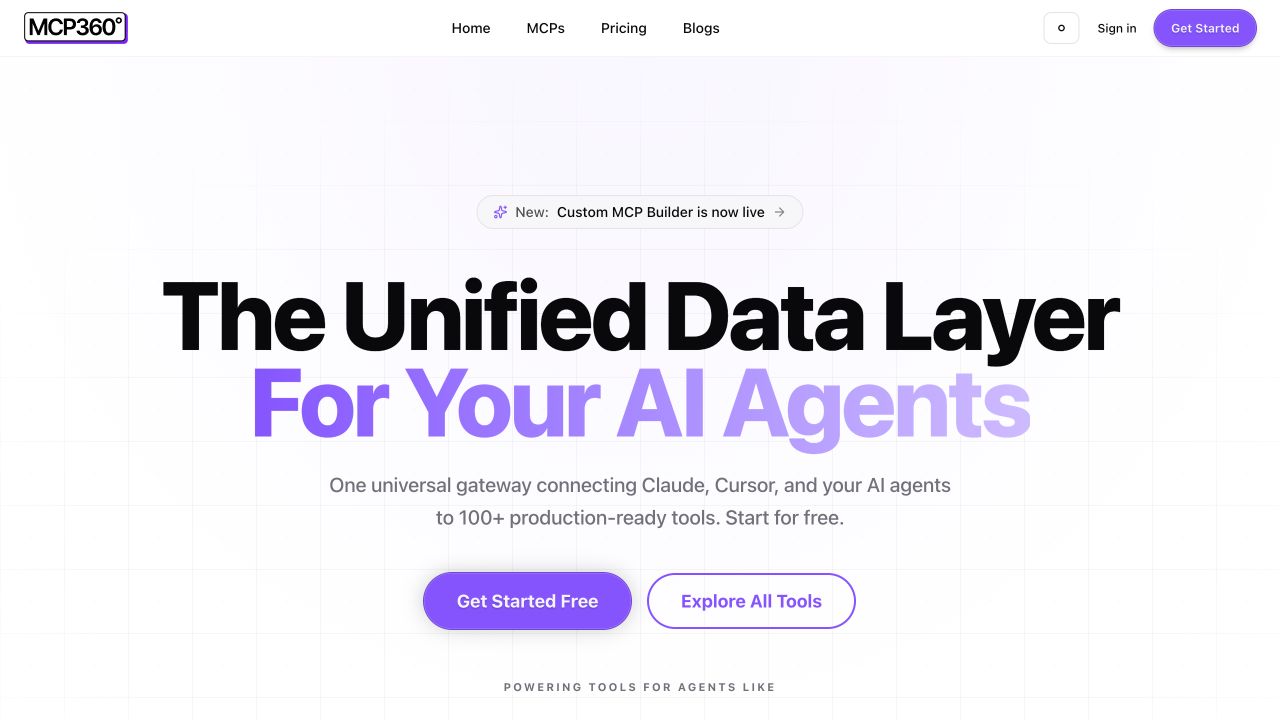 Official MCP360 product pageSource snapshot 2026-07-29 - mcp360.aiPositioning, host compatibility, Custom MCP Builder, and marketplace scope checked against the vendor's own product surface.
 Official MCP360 pricing pageSource snapshot 2026-07-29 - mcp360.ai/pricingFree, Starter, Professional, and Advanced credit tiers checked on the vendor rate card (annual and monthly).MCP360 marketplaceSource snapshot 2026-07-29 - mcp360.ai/mcpsSearch, SEO, e-commerce, maps, media, finance, and developer tool categories with per-tool credit costs.MCP360 documentationSource snapshot 2026-07-29 - mcp360.ai/docsQuick start: sign up, API key, browse and connect marketplace servers.
Product walkthrough
See the MCP360 platform before you trust the claims
This official MCP360 walkthrough shows the unified gateway and agent-tooling positioning. Treat it as a product tour, not independent proof of credit efficiency or Custom MCP Builder fidelity. After watching, repeat the workflow with your own client config, tool calls, and a staging API.
Watch on YouTube and ask the vendor to repeat the workflow with your own MCP client, tool mix, and failure cases.
Claim and source ledger
What this profile is based on
Public product pages, pricing rate card, marketplace listings, and documentation published by MCP360 (Delta4 Infotech Pvt. Ltd.) as of July 29, 2026. We checked host compatibility claims (Claude, Cursor, Windsurf, n8n, YourGPT), credit tiers (Free 100; Starter 2,000; Professional 10,000; Advanced 100,000), per-tool credit costs on the marketplace, Custom MCP Builder positioning, REST API examples, and free utilities including mTarsier.
What we did not verify
We did not run independent load tests, measure per-tool latency under production traffic, audit security certifications, or complete a Custom MCP Builder deploy against a private API. Buyers should connect their own MCP client, burn credits on representative calls, and request security documentation in writing.
How we scored fit
Our editorial fit signal weights host compatibility, catalog depth for real workflows, custom extensibility, credit economics (including failed-call handling), and implementation risk. It is not a performance benchmark, a user satisfaction score, or a vendor-provided rating.
Should you choose MCP360?
MCP360 is a unified MCP gateway and marketplace for teams that want agents in Claude, Cursor, n8n, YourGPT, and similar hosts to call SEO, search, e-commerce, maps, and developer tools without standing up fragmented MCP servers. Public pricing scales from Free (100 credits) to Advanced ($333/mo annual, 100,000 credits), failed calls are not billed, and the Custom MCP Builder targets internal APIs that the catalog will never ship.
Best for product and engineering teams building agentic prototypes and internal copilots that need one bill and one config. The main risks are credit burn on multi-credit SEO tools, catalog coverage that skews toward research and intel rather than write-back into your systems of record, and lighter governance than enterprise AI gateways. Verify host setup, tool-level credit math, Custom MCP fidelity, analytics export, and security terms before committing. Run the four-step workflow test in a sandbox before signing.
FAQ
Common questions
What is MCP360 best used for?
MCP360 is best used as a hosted MCP gateway when your agents need many external tools through one account. Typical fits include SEO and SERP research, e-commerce price and product intel, lead and email verification, maps and travel lookups, and developer utilities (DNS, WHOIS, IP). It is not a standalone chatbot; the agent host remains Claude, Cursor, YourGPT, n8n, or your own orchestrator.
Do I need to be a developer to use MCP360?
Basic marketplace use is copy-paste config: sign up, copy an API key, paste MCP settings into Claude Desktop or Cursor, and call tools. The Custom MCP Builder offers a no-code API Type path for REST endpoints. Code Type (JS/Python) and production hardening still benefit from developer time, especially for auth, pagination, and error mapping.
How does MCP360 pricing work?
Plans are credit-based. Free includes 100 credits/month; Starter 2,000; Professional 10,000; Advanced 100,000. Annual billing is $16 / $83 / $333 per month equivalent for the paid tiers (reference monthly $19 / $99 / $399). Most utility calls cost 1 credit; keyword research costs 10; LLM prompt tracking costs 5. Failed tool calls are not counted. Confirm live rates on the pricing page.
What happens if a tool call fails?
MCP360 states that failed tool calls do not consume credits. You should still verify error visibility in your client and in project analytics, because a free failed call can still break an agent run if the prompt cannot recover.
Which AI clients work with MCP360?
Public materials list Claude Desktop, Cursor, Windsurf, n8n, YourGPT, and other MCP-compatible clients. Always verify with a live config paste against your client version; MCP support varies by release.
Can I build custom MCPs for internal APIs?
Yes. The Custom MCP Builder supports API Type (configure endpoint, method, auth, headers, schema) and Code Type (JS/Python). It is aimed at internal APIs, CRMs, databases, webhooks, custom tools, and legacy systems that will never appear in a public marketplace.
How does MCP360 relate to YourGPT?
Both are associated with Delta4 Infotech Pvt. Ltd. YourGPT is an omnichannel AI agent product; MCP360 is a tool gateway those agents (and other hosts) can call. You can use MCP360 without YourGPT, and YourGPT without MCP360, or combine them.
Is mTarsier required?
No. mTarsier is an open-source MCP manager (macOS, Windows, Linux) for local server and client management. MCP360's hosted gateway works through standard MCP config and the dashboard. mTarsier is optional for local workflows.
How do credits map to SEO tools?
Marketplace listings show keyword research tools at 10 credits per call, LLM prompt tracking at 5 credits, and most search, e-commerce, maps, and developer utilities at 1 credit per successful call. Build your forecast from the expensive tools in your path, not from the cheapest utility.