Replit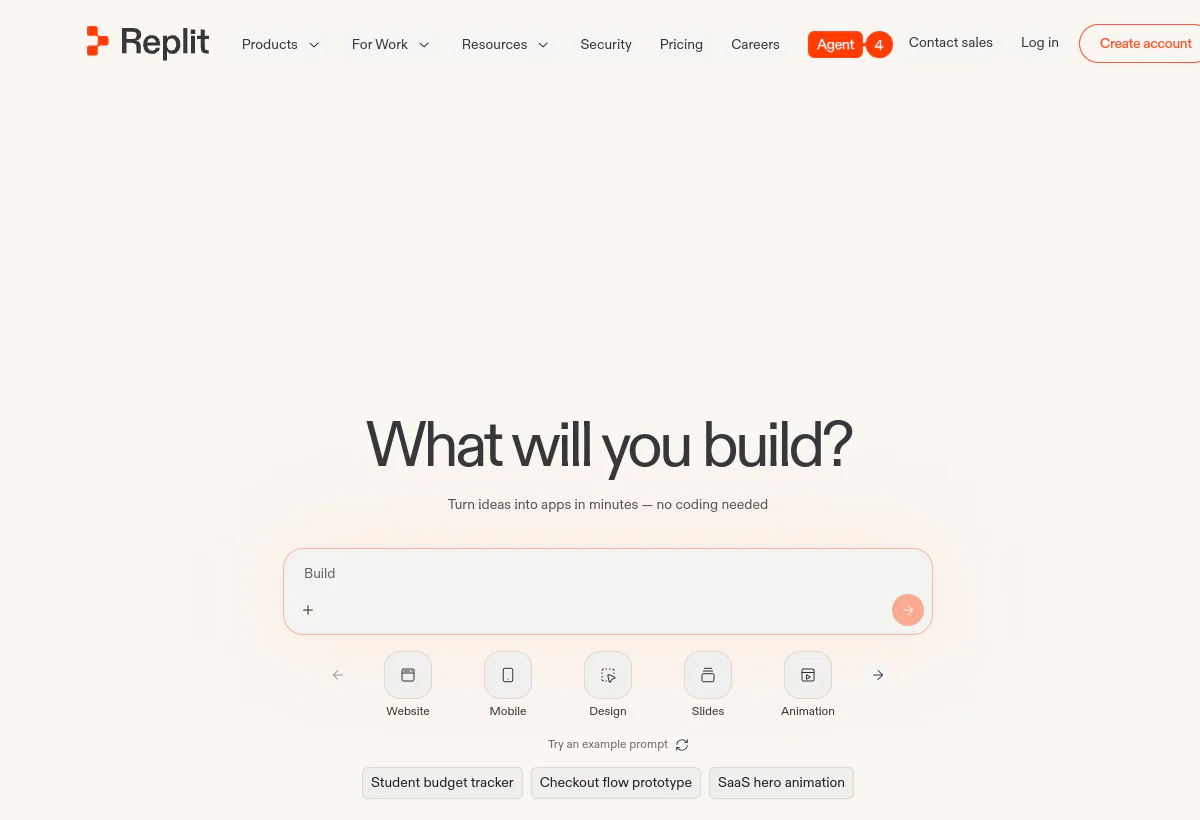
Is Replit worth it?
Replit is a browser development workspace with Replit Agent (the homepage currently leads with Agent 4) that can plan, build, and help publish apps from natural language. Built-in auth, database, hosting, and monitoring are the product, not extras. That is why it feels fast in a demo and why credits vanish when Agent retries a failing integration.
Worth it for prototypes, internal tools, education, and small commercial apps if you set credit budgets and review Agent output. Not worth it as the only environment for a regulated monorepo, and not worth it if "unlimited Agent" is the operating plan. Core is the solo band. Pro is the commercial band with 10 parallel agents, 15 collaborators, and $100 credits. Enterprise adds SSO/SAML, privacy controls, single-tenant options, and VPC peering on a custom quote. Confirm replit.com/pricing before you sign. The homepage and the pricing page disagreed on Core credits and Pro annual rates on the day we read them.
How we evaluated this
We evaluated Replit as a cloud workspace plus agent builder, not as a VS Code plugin. Scoring weights time-to-running-app, agent reliability on standard web patterns, credit predictability, collaboration, and production boundaries (secrets, SSO, where the app finally runs).
On August 19, 2026 we read replit.com, replit.com/pricing, docs.replit.com/billing/ai-billing, and Replit's Pro-plan and effort-based-pricing posts. We did not run a multi-week production pilot on your stack. Your remaining tests: one public site, one authenticated CRUD app, and one integration-heavy internal tool, each with a recorded credit total.
Pricing calculation to run
Price credits per finished app, not per prompt
Replit's sticker is a subscription. The meter is effort-based Agent checkpoints plus cloud services. Docs say every Agent interaction is billable, including Plan Mode answers that never write code. Simple requests cost less. Complex builds bundle into one checkpoint that can cost more than the old $0.25-per-checkpoint era. Third-party model calls (Claude, ChatGPT, Gemini, and similar) are billed at the provider's public API rate and deducted from the same Replit credits. Hosting, storage, and databases draw the same pool. That is why a Core plan that "includes $20 of credits" is not $20 of unlimited building.
Official pricing page figures on August 19, 2026: Core shows $20 per month, $18 billed annually, and $20 of monthly credits, with up to 5 collaborators and 2 parallel agents. Pro shows $100 per month, $90 billed annually, and $100 of monthly credits, with 15 collaborators, 50 viewers, and 10 parallel agents. The homepage the same day showed Core with $25 of monthly credits and Pro annual as $95. We treat the pricing page as the rate card and flag the homepage as conflicting. Re-check both URLs during legal review.
- Instrument three project types. Marketing site, authenticated CRUD, integration-heavy internal tool. Record credits to first successful deploy and credits to "good enough to review." Do not use prompt count.
- Assume retries are billable. Agent loops on a flaky API still create checkpoints or billable Plan Mode work. A failed afternoon can cost more than a clean one-shot.
- Core credits do not roll over on the public Core card. Pro is the plan docs describe with credit rollover (docs say Pro rollover; the exact window is described as one or two months depending on the billing page you read). Confirm rollover in-product. Unused Core credits vanishing is a silent tax on slow projects.
- Parallel agents multiply the meter. Core allows 2 parallel agents. Pro allows 10. That is a speed feature and a cost feature. Ten agents on a messy spec is a Pro-sized bill even if one human is watching.
- Set a hard cap before the first prompt. Replit documents usage alerts and budget limits. If you skip them, pay-as-you-go after credits is unbounded. The subscription is the floor.
A worked example using published plan numbers only, not invented checkpoint prices (Replit does not print a current per-checkpoint dollar table on the pricing page). A solo builder on Core at $18 billed annually gets $20 of credits. If a CRUD internal tool burns $12 of Agent plus $6 of database and hosting in week one, the remaining $2 will not cover the auth rewrite in week two. The next dollars are overage. The same app on Pro at $90 billed annually with $100 credits has room for retries and 10 parallel agents, which is why Pro exists. Cursor would meter that work as Other Models tokens inside an editor you already run. Copilot would meter it as AI credits plus Actions minutes. Replit meters the whole loop (plan, code, host) in one credit wallet. Compare finished-app cost, not seat stickers.
Who Replit fits best
Strengths
- Zero local setup. Browser workspace, built-in database, auth, hosting, monitoring.
- Agent 4 with Plan Mode, parallel agents, visual Infinite Canvas, and a publish path.
- Collaboration without per-seat math on Core (5) and Pro (15 builders, 50 viewers).
- Connectors to OpenAI, Stripe, Google Workspace, and 100+ integrations listed on the homepage.
- Enterprise path: SSO/SAML, advanced privacy, design-system support, data-warehouse connections, single-tenant, region selection, static outbound IPs, VPC peering, SOC 2 language on the homepage.
Limitations to verify
- Effort-based credits make demos cheaper than production iteration.
- Starter cannot Full build, Plan Mode, Connectors, or unlimited publish. Docs: one published app with a 30-day window on Starter.
- Complex monorepos, custom private networking, and regulated data often need export to your cloud even if the prototype lived on Replit.
- Agent quality is strongest on standard web and CRUD patterns. Novel distributed systems still need senior engineers.
- Homepage versus pricing-page conflicts on Core credits and Pro annual price. Do not forecast from memory.
Surfaces to verify
Replit is not a WhatsApp agent. The surfaces that matter are workspace, Agent, publish, and admin. Test each against your release process.
- Web workspace in the browser: editor, terminal, preview, database, secrets.
- Agent chat and Plan Mode (Plan Mode is Core and Pro, not Starter).
- Parallel agents: 2 on Core, 10 on Pro, with visible merge before code lands.
- Infinite Canvas and Visual Editor for design-then-apply. Convert-design-to-artifact is Core+.
- Publish and deployments: Starter publishes up to 1 project. Core and Pro: unlimited published apps, including private or password-protected, and Core adds any-region publish.
- Mobile and other artifact types (slides, video, animation, 3D). Starter can create some artifact types; "all artifact types" is Core+ per the billing docs table.
- Connectors to Stripe, OpenAI, Google Workspace, and similar. Core+.
- Enterprise networking: static outbound IPs, VPC peering, single-tenant, region selection. Custom quote.
Workflow and operating model
The loop is: describe the app, let Agent plan, scaffold, intervene on failures, test in the preview, then publish. Set a credit budget before the first Agent message. Decide in writing what stays on Replit versus what moves to your VPC. Agent 4's Kanban-style tasking is useful when several people submit work. It is also how ten parallel agents can spend Pro credits before lunch.
Human review is not optional for auth, payments, or personal data. Treat Agent output as a junior pull request. Keep secrets in Replit secrets, not in chat. If the app will see customer data, run the security checklist before you share a URL.
- Prototype: one-shot a landing page or internal form, measure credits, throw it away or keep it.
- Internal tool: authenticated CRUD with one real integration. This is the honest Core vs Pro test.
- Commercial: Pro collaboration, private deploys, 28-day database rollbacks, premium support.
Official product demo
See Replit Agent before you trust the one-prompt claims
This official Replit film introduces Agent. Treat it as a tour. After watching, run your own CRUD app with a credit cap and a secrets policy.
Pricing checked August 19, 2026
Replit pricing: Starter free to custom Enterprise
Figures below come from replit.com/pricing on August 19, 2026. The homepage the same day listed Core credits as $25 and Pro annual as $95. We do not invent a blended number. Use the pricing page, then re-read the homepage during legal review. Prices are subject to tax. Agent behavior is probabilistic, which Replit states on the pricing page.
| Plan | Public price | Included capacity / meter | Best fit |
|---|---|---|---|
| Starter | Free | Daily Agent credits (capped); Lite build; Design Canvas and Visual Editor; publish up to 1 project (docs: 30-day published app); private or password-protected deploys listed on the pricing card | Exploration, not production Agent loops |
| Replit Core | $20/mo$18/mo billed annually | $20 monthly credits (pricing page); 5 collaborators; 2 parallel agents; unlimited workspaces; Full build, Plan Mode, Connectors; any-region publish; remove Replit badge. Homepage conflict: $25 credits | Solo builders and simple personal apps |
| Replit Pro | $100/mo$90/mo billed annually | $100 monthly credits; 15 collaborators; 50 viewers; 10 parallel agents; most powerful models; 28-day database rollbacks; premium support; Turbo mode. Homepage conflict: $95 annual | Commercial builds and small teams |
| Enterprise | Custom | Everything in Pro plus custom seat limits, SSO/SAML, advanced privacy, design-system support, data-warehouse connections, custom groups, dedicated support, single-tenant, region selection, static outbound IPs, VPC peering | Security and networking requirements |
Source: Replit pricing and Replit AI Billing. Confirm credit rollover, overage rates, extra credit packs, and the homepage conflict before signing.
AI capability
Agent 4 is the current homepage agent. It plans, sequences tasks, runs parallel work, and can apply visual design to code. Docs split Starter (daily cap, Lite build) from Core/Pro (Full build, Plan Mode, Connectors, Kanban task planning). Pro adds Turbo mode and "most powerful models." Third-party model usage is billed at provider API rates inside your credit wallet.
Agent helps most on CRUD apps, internal tools, and common web patterns. It still makes mistakes. Replit says so on the pricing page. Auth, payments, and authorization logic need a human. Do not treat a green preview as a security review.
Feature areas to verify
- Agent Plan Mode versus Build Mode on your app type.
- Parallel agents and merge visibility with more than one builder.
- Infinite Canvas to artifact conversion.
- Built-in auth, database, hosting, monitoring.
- Connectors you actually need (Stripe, Google, OpenAI).
- Private deploys and region selection.
- Database rollback window (28 days on Pro).
- Credit dashboard lag (docs: up to 30 minutes).
- Enterprise SSO, VPC peering, static IPs if those are deal-breakers.
Analytics and operating visibility
Track credit consumption per project, failed Agent loops, time-to-first-deploy, and overage. The Agent tab shows checkpoint cost on hover. The usage dashboard is the source of truth, with up to 30 minutes of delay. Set email alerts at a percentage of the monthly credit bundle, not after the bundle is gone. If you cannot answer "what did this app cost to build," you are not ready to roll out Pro.
Security, data handling, and compliance
The homepage lists SSO/SAML, SOC 2, and admin controls on the enterprise path. That is a starting claim, not a completed review. Ask for the current SOC report, DPA, subprocessors, retention, and whether workspace contents train shared models. Secrets belong in Replit secrets. Customer data in a Core workspace is a policy decision, not a default.
- Request security paperwork before putting regulated data in a Repl.
- Map who can publish, who can view, and how access is revoked.
- Confirm region and single-tenant options if Enterprise is in play.
- Review generated auth and dependency pins like any other junior PR.
What questions should you ask before buying Replit?
- What is credit burn to a reviewed, authenticated CRUD app on our stack?
- Do unused Core credits roll over, or only Pro?
- Who reviews Agent code before publish?
- What classes of app must not stay on Replit hosting?
- How are secrets injected, rotated, and kept out of Agent logs?
- Is the live Core credit bundle $20 or $25 this week?
- Do we need Pro's 10 parallel agents, or is Core's 2 enough?
- What is the Enterprise quote for SSO and VPC peering?
What red flags should you watch for with Replit?
- No credit budget and no owner for overage.
- Shipping Agent auth or payment code without review.
- Treating Starter as production capacity.
- Regulated data in a workspace with unclear retention.
- Forecasts built from the homepage card while the pricing page disagrees.
What are the best alternatives to Replit?
Pick by workspace, not by who has an Agent label. Replit is not listed against itself.
- CursorChoose Cursor when the work is a local professional repository, diff review, and usage-pooled Agent inside an editor.
- GitHub CopilotChoose Copilot when the team already lives in GitHub and wants IDE completions plus a cloud agent that opens pull requests.
- ClaudeChoose Claude when the hard part is reasoning and specification, and you will implement in your own environment.
- LovableChoose Lovable when product partners need a prompt-to-web-app builder and do not need Replit's full cloud IDE.
- ChatGPTChoose ChatGPT for general coding help and prototypes that will be copied into a stack you already host.
Workflow test
What Replit needs to prove in a real build
- Build one internal tool with Agent under a written credit cap. Record spend to first preview and spend to reviewable.
- Break an integration on purpose and watch whether retries blow the cap.
- Run a security pass on auth, secrets, and dependencies before anyone else gets the URL.
- Compare the same spec on Cursor so you know whether the browser workspace is the advantage or the trap.
- Pick Core vs Pro from burn, not from the slide that says $20.
Related reading
Related reading
Claim and source ledger
What this profile is based on
Official Replit pages read on August 19, 2026: replit.com, replit.com/pricing, docs.replit.com/billing/ai-billing, and Replit blog posts on the Pro plan and effort-based Agent pricing. Plan names, $20/$18 Core, $100/$90 Pro, collaborator caps, parallel-agent caps, and effort-based billing language come from those pages.
What we did not verify
We did not measure credit burn on your apps, audit SOC 2 artifacts, or obtain an Enterprise quote. The homepage and pricing page disagreed on Core monthly credits ($25 vs $20) and Pro annual price ($95 vs $90). Exact checkpoint dollar amounts are not on the public pricing table. Rollover windows differ between marketing and docs. Confirm in-product.
How we scored fit
The editorial fit signal weights time-to-running-app, agent reliability on standard patterns, credit predictability, collaboration, and production boundaries. It is not a user-star average or a vendor productivity claim.
Should you choose Replit?
Choose Replit when a managed browser workspace and a short path to a URL matter more than a local IDE. Core is the honest solo experiment if you can live on $20 of credits and two parallel agents. Pro is the commercial plan because of credits, ten agents, and collaboration. Enterprise is for SSO and networking, not for a nicer Agent.
Skip Replit as the system of record for a regulated monorepo, and skip it if nobody will cap credits or review Agent code. Pilot three apps, write down peak-month spend, and compare the same specs on Cursor. The subscription is visible. The checkpoints are the bill.
FAQ
Common questions
Is Replit only for beginners?
No. Setup speed helps beginners, but product teams use it for prototypes and internal tools. Senior review still matters for auth, payments, and anything customer-facing.
How does Replit Agent pricing work?
Agent uses effort-based checkpoints billed against monthly credits. Plan Mode is billable even without code changes. Cloud services share the same credits. Core includes $20 of credits on the pricing page. Pro includes $100. Set a budget. Overage is extra.
Replit vs Cursor: which should we use?
Use Replit when the workspace and publish path are the product. Use Cursor when you already have a local repo, tests, and a review culture in an editor.
Can we host production on Replit?
Sometimes, for simple apps and internal tools. Many teams prototype on Replit and move sensitive production to their own cloud. Decide that policy before wide rollout.
Does Starter include Full build?
No. Billing docs list Full build, Plan Mode, Connectors, and all artifact types as Core and Pro. Starter is daily-capped Agent chat, Lite build, and one published app.
Why do Core credit numbers disagree?
On August 19, 2026 the pricing page said $20 of monthly credits and the homepage said $25. We cite the pricing page and tell you to re-check both. Do not forecast from a screenshot a week old.
Who should skip Replit?
Skip it if you need monorepo governance, desktop toolchain control, or if you will not budget Agent. Those jobs map to Cursor or GitHub Copilot.
How long does setup take?
A first Repl can be live in minutes. A team workflow with budgets, secrets policy, and a hosting decision takes days. The slow part is review, not onboarding.
Do we need Pro for collaboration?
Core allows 5 collaborators. Pro allows 15 plus 50 viewers. If more than five people must edit, Pro is the public card that fits. View-only needs should be counted too.
Is Enterprise required for SSO?
SSO/SAML, advanced privacy, single-tenant, and VPC peering are listed on the Enterprise card, not on Core or Pro. If those are deal-breakers, talk to sales before you standardize on Core.
Also review